Email or Google
Use the email and password from sign-up, or tap Google sign-in, from a desktop or mobile browser.
Login to Zuzu Bet Casino: Google Sign-In and Face ID
Sign in with your email and password, with Google, or with fingerprint and Face ID in the installed web app, and protect the account with a 6-digit authenticator code.
Keeping your Zuzu Bet account safe
Steps to take
Practices to avoid
Ways to sign in
Email or Google
Use the email and password from sign-up, or tap Google sign-in, from a desktop or mobile browser.
Two-factor authentication
Add a 6-digit code from Google Authenticator or Authy, with ten backup codes saved for emergencies.
Fingerprint and Face ID
Unlock the installed web app on your phone with fingerprint or Face ID instead of typing your password.
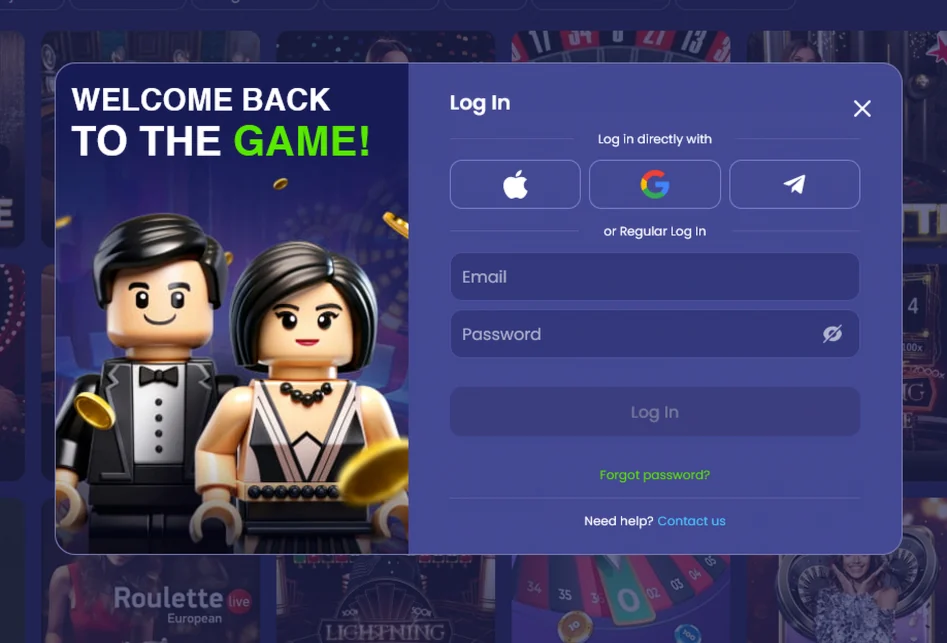
Signing in takes one screen: your email and password, or Google sign-in, with an optional 6-digit authenticator code on top. 19+ (18+ in Alberta, Manitoba and Quebec). Please gamble responsibly. Full bonus terms apply.
Open Zuzubet in your desktop browser, select the Log in button, type the email and password from sign-up and confirm. If two-factor authentication is on, enter the 6-digit code from Google Authenticator or Authy to finish.
Use the email saved in your existing profile, even when you change computers. Moving to another browser does not require another registration. Decide whether you are using the ordinary account form or Google before entering credentials: these are different entry routes. A Google screen should not be used as a place to disclose the casino password.
Keep any configured authenticator available before you submit the form. The additional code belongs to its own prompt rather than the password field. When you use a shared workstation, close the session yourself after checking the account. An automatic timeout is not a reason to leave a logged-in profile visible to the next person. Do not leave a requested recovery message open on that same public screen.
Open Zuzubet in Chrome or Safari on your phone, tap Log in and enter the same email and password, or tap Google sign-in. The bottom bar then gives you Casino, Sports, Live, Promotions and Cashier.
The navigation bar appears after sign-in and leads to the main product areas. Use Cashier for a payment action and the account menu to inspect balances and transaction history. These are not separate accounts. If a withdrawal is already awaiting review, check that record instead of making another deposit merely to test whether login works.
Look at the entry point when a device option seems missing. A normal mobile tab and a home-screen installation may display the same lobby without exposing the same biometric prompt. Use the documented email or Google route for the browser. Changing the entry point does not change the registered owner of the profile or create a different currency wallet.
In the installed web app, sign in with your email and password or with Google, and unlock with fingerprint or Face ID where your phone supports it. The app opens the same account, with the same cash balance and bonus balance side by side. 19+ (18+ in Alberta, Manitoba and Quebec). Please gamble responsibly. Full bonus terms apply.
Launch the installed icon before selecting fingerprint or Face ID. If the device prompt is unavailable, fall back to one of the account methods described on this page. Do not create another profile to avoid a sensor or browser issue. Installation is a route to the existing account, not an alternative registration.
Keep recovery access separate from the open app. Backup codes are valuable when the usual authenticator phone is missing, so keeping the only copy on that phone defeats the purpose. Do not give an unused code to someone offering to open the account for you. Our team can explain an error and the relevant screen without asking you to provide the credentials that complete sign-in.
Most sign-in problems come down to a forgotten password, a temporary lock after five wrong attempts, an expired session or a missing authenticator code, and each one has a quick fix.
| Problem | What happens | What to do |
|---|---|---|
| Forgotten password | The login is rejected | Request a reset on the login screen, open the emailed link within 60 minutes and set a password of 8 characters with one capital letter and one digit |
| Five wrong passwords | The login is locked for 15 minutes | Wait 15 minutes, or use the emailed reset link |
| Idle session | You are logged out after 40 minutes | Sign in again with the same details |
| Authenticator code not available | The 6-digit code cannot be entered | Use one of your ten backup codes, or ask support to help |
| Reset email not arriving | No link in your inbox | Check the spam folder, then contact support |
Our live chat is open 24/7 in English, and French-speaking agents are available from 9:00 a.m. to 9:00 p.m. ET. You can also write to [email protected] and expect an answer within 12 hours.
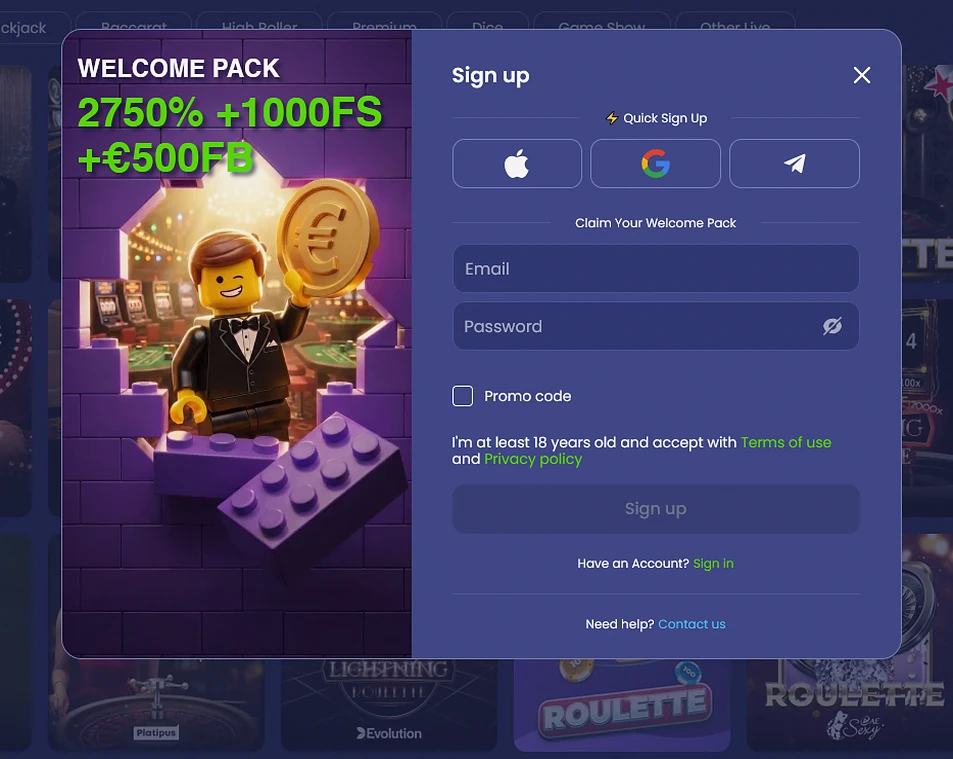
The supplied login image shows email and password plus Apple, Google and Telegram quick-login buttons. Availability depends on the account and market. The supplied account guide additionally describes authenticator protection and supported device biometrics.
| Method | What you need |
|---|---|
| Email and password | The email and password from sign-up |
| Google sign-in | Your Google account |
| Fingerprint and Face ID | The installed web app on a phone that supports biometrics |
| Authenticator 2FA | Google Authenticator or Authy, a 6-digit code and ten backup codes |
An account method and a second factor perform different jobs. Email with password or Google takes you to the registered profile; an additional prompt can then confirm access. Follow the screen order and do not treat the latest authenticator value as a replacement password. The password-length rule applies to setting a new password, not to proving ownership in a chat message.
After login, read the cash and bonus totals separately. The account also shows Zuzu Club progress, an active wagering bar and payment history. Membership progress does not itself mean money ready for withdrawal. For a reward question, identify the selected offer as well as the balance. 19+ (18+ in Alberta, Manitoba and Quebec). Full bonus terms apply.
Your sign-in is protected by TLS 1.3 with 256-bit encryption, and our servers are in Frankfurt. Card data is tokenized by a PCI DSS certified processor, so it never sits in your account menu.
Two-factor authentication adds a 6-digit code from Google Authenticator or Authy, and you receive ten backup codes to store somewhere safe. Five wrong passwords lock the login for 15 minutes, and an idle session closes after 40 minutes.
Verification is a separate step from signing in. We ask for it before your first withdrawal or once deposits pass $3,100 in 30 days, and a passport, provincial photo ID card or driver’s licence works as identity, with a recent utility bill or bank statement from the last 3 months as proof of address.
Separate an inactivity logout from a timed lock following incorrect passwords. The first ends a session that was open, whereas the second concerns unsuccessful access attempts. Repeated guessing does not clarify either situation. Read the displayed cause before deciding to wait, sign in again or request recovery.
Use a reset message only when you requested it through the account flow. Keep the link private and choose the replacement according to the stated rules. If the issue continues, tell us whether it happens before or after the second-factor prompt and whether you opened a browser or installed icon. Quote the error text without attaching active codes. For a subsequent payment question, refer to the existing transaction status so access recovery is not confused with cashier processing.
Membership progress and the transaction record are separate account indicators. Choose the record that matches your question before sending a request, rather than describing every displayed amount as a missing payment.
Registration takes about 2 minutes in two short steps, starting with your email, a password and your account currency, and followed by your name, date of birth, address and phone number. You choose the Welcome Pack in the cashier at your first deposit, and the full bonus terms explain every step. 19+ (18+ in Alberta, Manitoba and Quebec).
Questions about signing in
Request a reset on the login screen and open the emailed link within 60 minutes. The new password needs 8 characters, one capital letter and one digit.
Five wrong passwords lock the login for 15 minutes, after which you can try again or use the emailed reset link.
Yes, the installed web app on your phone supports fingerprint and Face ID unlock, and Google sign-in is also available in the browser.
Sign in to your Zuzu Bet account
Review the ten-deposit pack shown in EUR: up to 15,000 plus 1,000 free spins. Canadian account eligibility and amounts must be checked in the cashier.
19+ (18+ in Alberta, Manitoba and Quebec). Play within your budget. Gambling can cause harm; bonus conditions apply.