Home-screen icon
Add Zuzu Bet from the browser menu and open it like any other app, with a bottom bar for Casino, Sports, Live, Promotions and Cashier.
App for Zuzu Bet Casino: Install on Android 8.0+ and iOS 14+
Our app is a progressive web app of about 10 MB that you add to your home screen from Chrome or Safari, with the full lobby, the sportsbook and the cashier one tap away.
What the app gives you
Home-screen icon
Add Zuzu Bet from the browser menu and open it like any other app, with a bottom bar for Casino, Sports, Live, Promotions and Cashier.
Self-updating
The app updates itself on launch, so there is no new file to download.
Fingerprint and Face ID
Unlock with fingerprint or Face ID and receive push alerts for the Monday Bonus and the Friday cashback.
The app at a glance
Benefits
Restrictions
Zuzu Bet on your home screen
Our app is a progressive web app of about 10 MB that you add to your home screen from Chrome or Safari, with the full lobby, the sportsbook and the cashier one tap away.
19+ (18+ in Alberta, Manitoba and Quebec). Play within your budget. Gambling can cause harm; bonus conditions apply.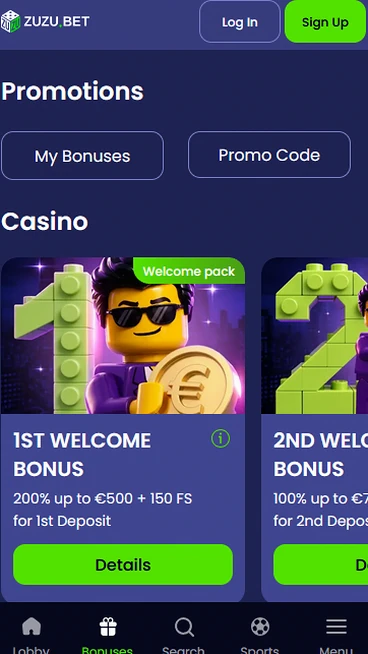
Keeping the app safe
Steps to take
Practices to avoid
Device requirements
Android
iOS
Adding the app in three steps
You can open an account from your phone in about 2 minutes, and the same account works in the browser and in the installed app.
The first step asks for your email, a password and your account currency, and the second asks for your name, date of birth, address and phone number. Your wallet is held in Canadian dollars.
Use your own contact details because subsequent account and payment checks refer to that identity. Installing the icon does not register a customer. Keep these two actions separate.
Sign in with your email and password or with Google, and unlock the installed app with fingerprint or Face ID where your phone supports it.
Choose the route offered by the version you opened. Biometrics belong to the installed experience. A browser change does not create another profile.
The app runs on Android 8.0 with Chrome 100 and on iOS 14 with Safari, and it needs 2 GB RAM and 50 MB of free space.
Android phones need Android 8.0 or newer and Chrome 100 or newer to add the app.
Check Chrome independently from Android. The operating system alone does not establish browser support. Use the home-screen command in the stated browser.
iPhones need iOS 14 or newer and the Safari browser to add the app.
Open the website directly in Safari. A window inside another application can use a different browser container. Check the device version before adding the shortcut.
| Item | Android | iOS |
|---|---|---|
| Operating system | Android 8.0 | iOS 14 |
| Browser | Chrome 100 | Safari |
| RAM | 2 GB | 2 GB |
| Free space | 50 MB | 50 MB |
| App size | About 10 MB | About 10 MB |
Storage and working memory describe different requirements. The PWA size is not the whole free-space allowance. Compare all rows with the phone. Check the browser as well as the operating system before assuming the installation menu should appear.
Our app is not in Google Play or the App Store, so you add it from your browser menu, and the whole step takes under a minute.
Open Zuzubet in Chrome, open the browser menu and choose the option to add the site to your home screen. Confirm the name, and the Zuzu icon appears with your other apps.
Confirm the new shortcut and open its icon. An old browser tab remains a separate entry point. No unrelated installation package is required.
Open Zuzubet in Safari, use the Share button and choose Add to Home Screen. Confirm the name, and the icon appears on your home screen.
The Share menu adds the shortcut without an App Store file. Use your existing credentials afterwards. Creating the icon does not create another account.
A progressive web app needs no store listing and no separate download file, and it updates itself on launch. That also means it works without Google Play on Android.
Automatic updates are loaded through this web-based route. A store replacement is not part of the process. Reopen the icon before attributing a problem to an older session.
The app opens our full lobby, the sportsbook, the live casino and the cashier in one place, and a bottom bar switches between Casino, Sports, Live, Promotions and Cashier.
Lobby rows such as Top, New, Hot, Bonus Buy, Megaways, Hold and Win, Jackpots, Crash, Live Casino, Table Games and Tournaments sit in the Casino tab. The i icon on each tile shows the studio, RTP, volatility and top prize, and your account menu shows your cash balance and bonus balance side by side, your Zuzu Club progress and 12 months of transaction history.
The menu separates account balances from game categories. Use the relevant area for the question you are checking. A bonus balance and an ordinary cash balance have different conditions. 19+ (18+ in Alberta, Manitoba and Quebec). Full bonus terms apply.
The lobby and cashier match the browser, and the installed app adds a home-screen icon, push alerts for the Monday Bonus and the Friday cashback, and fingerprint or Face ID unlock. 19+ (18+ in Alberta, Manitoba and Quebec). Please gamble responsibly. Full bonus terms apply.
The existing profile remains the same in both versions. Installation adds device features, not another wallet. Check the entry point before looking for the biometric prompt.
The installed app opens the same catalogue of about 7,000 games from 24 slot studios and five live studios.
Pragmatic Play titles such as Gates of Olympus 1000 and Big Bass Bonanza, Play’n GO titles such as Book of Dead and Reactoonz, and BGaming titles such as Elvis Frog in Vegas run in the app, and most slots open in demo mode.
Inspect the studio and game details before selecting a title. A long-term RTP does not predict your short session. Demo play is a way to examine the format.
About 250 live tables come from Evolution, Pragmatic Play Live, Ezugi, Vivo Gaming and Absolute Live Gaming, including Crazy Time, Lightning Roulette, Mega Wheel and Auto Roulette.
Choose the table by name before reading allowed stakes. Different live formats use different rules. The overall catalogue range is not universal for every table.
European Roulette, Blackjack and Baccarat from Evoplay and Habanero start at bets of $0.15.
These are digital games rather than streamed dealer tables. Read the rules of the selected version. A familiar title does not remove differences between implementations.
BGaming and Wazdan jackpot slots, Pragmatic Play Daily Drops and Red Tiger Daily Jackpots are all in the Jackpots row.
Check the network attached to the jackpot game. A prize programme is separate from normal round payouts. Displaying a prize is not promising a return.
The app uses the same protection as our site: TLS 1.3, 256-bit encryption, and an installed web app that unlocks with your fingerprint or face.
TLS 1.3 with 256-bit encryption protects traffic, card data is tokenized by a PCI DSS certified processor, and our servers are in Frankfurt.
Connection encryption and payment tokenisation protect different processes. Your password still protects account access. Never place full card credentials in an ordinary support message.
Two-factor authentication uses Google Authenticator or Authy with a 6-digit code and ten backup codes. Five wrong passwords lock the login for 15 minutes.
Keep backup codes away from the open app session. They need to survive loss of the usual device. A current code is not information to share with another person.
Fingerprint and Face ID unlock the installed app, and an idle session closes after 40 minutes.
An automatic logout differs from a block after failed passwords. Identify the cause before requesting recovery. An unavailable biometric prompt does not require a duplicate profile.
The cashier in the app offers Interac e-Transfer, Visa, Mastercard, Apple Pay, Skrill, Neteller, MiFinity, Paysafecard, bank transfer and 11 cryptocurrencies, with a minimum deposit of $30 for every fiat method.
Interac e-Transfer works with RBC, TD, Scotiabank, BMO, CIBC, Desjardins and National Bank. Apple Pay and Paysafecard are for deposits only, and withdrawals start at $60 on most methods and at $150 on bank transfer.
Confirm whether your method can also receive withdrawals. Deposit-only options are not automatically payout routes. Keep the payment account in your own name.
| Method | Deposit arrives | Withdrawal arrives |
|---|---|---|
| Interac e-Transfer | At once | Within 1 working day |
| Visa and Mastercard | At once | 1 to 3 working days |
| Skrill and Neteller | At once | Up to 4 hours after approval |
| MiFinity | At once | Up to 2 hours after approval |
| Bank transfer | 1 working day | 1 to 3 working days |
| Bitcoin, Tether and other crypto | After network confirmations | Up to 1 hour after approval |
Method transfer times follow internal review. Immediate funding does not imply an immediate payout request. Inspect the existing status before submitting another transaction. The timeframe of the selected payment rail does not replace the separate period for internal request assessment.
The cashier is secured by a Sectigo Organization Validated certificate. We charge no fees, every deposit must be wagered at least once before a withdrawal, and third-party deposits are not allowed.
The certificate does not replace account-owner checks. Follow the requested document route for verification. Do not send sensitive credentials through a general chat message.
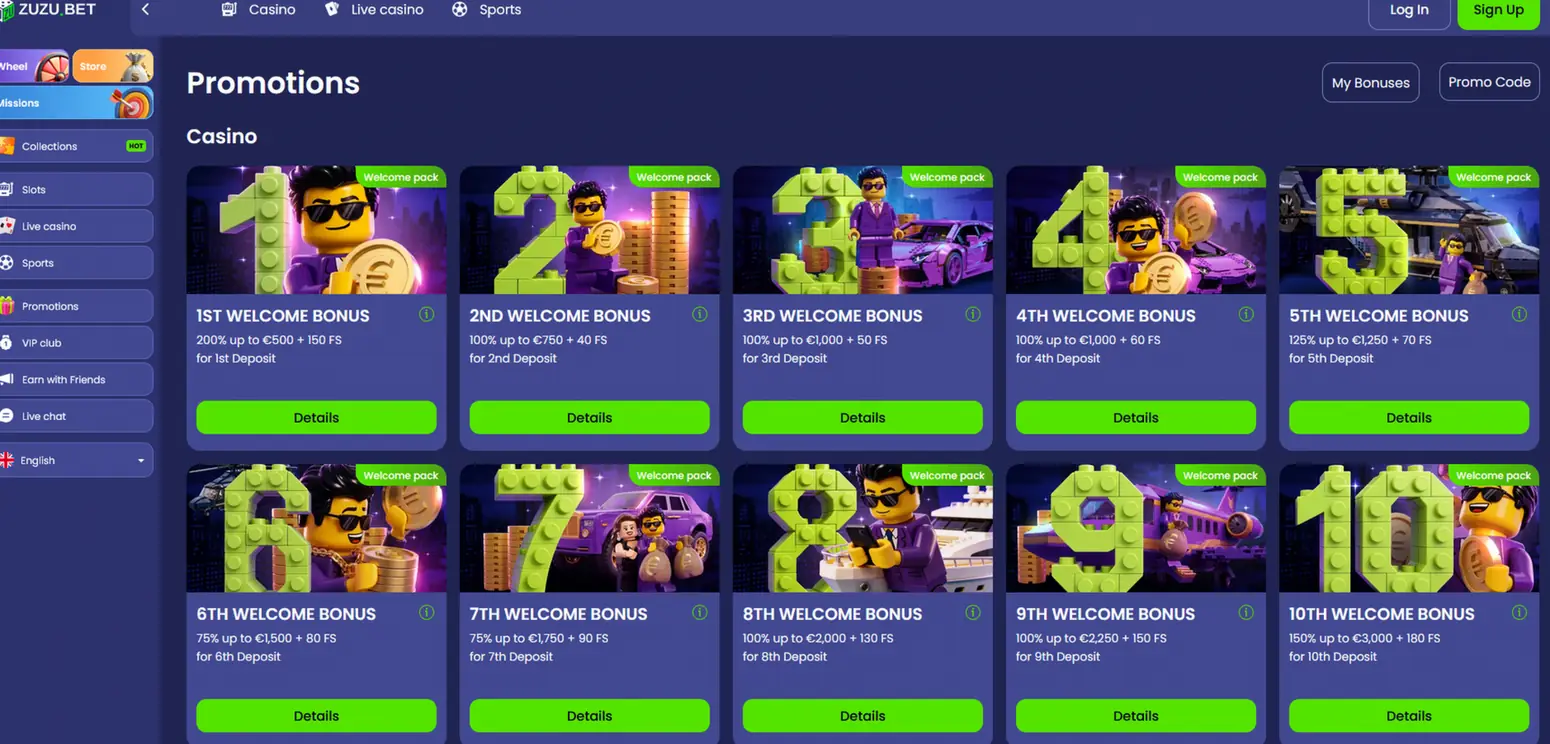
The Welcome Pack gives up to EUR 15,000 and 1,000 free spins across ten deposits, and you choose it in the cashier of the app. 19+ (18+ in Alberta, Manitoba and Quebec).
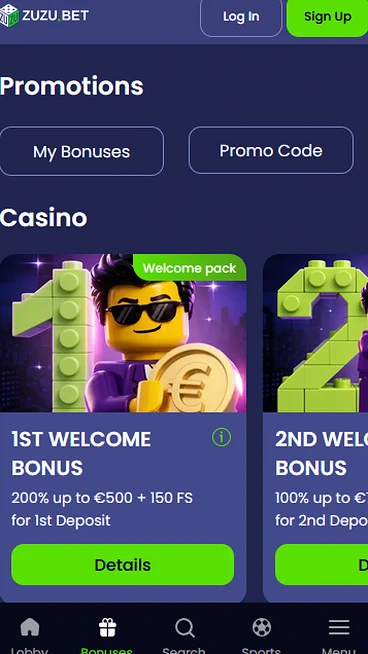
The mobile reference shows a first step of 200% up to EUR 500 plus 150 free spins. It does not identify the spin game, qualifying Canadian deposit or a CAD conversion. Check the selected offer’s currency and conditions in the cashier, and read the bonus guide before depositing.
Select the relevant step before paying. The package ceiling is not credited all at once. Use the named offer’s own rules. 19+ (18+ in Alberta, Manitoba and Quebec). Full bonus terms apply.
Live chat is open 24/7 in English from the speech-bubble icon, and email to [email protected] is answered within 12 hours.
French-speaking agents are in the chat from 9:00 a.m. to 9:00 p.m. ET, so you can reach our team in either language across Canadian time zones.
French-language staffing has its own window within the wider chat service. Describe the issue and account area clearly. Never include an active authentication value.
You can set daily, weekly and monthly deposit, loss and wager limits, switch on a reality check every 30, 60 or 120 minutes, take a time-out from 24 hours to 6 weeks, or self-exclude from 6 months to permanent. A lower limit applies at once and a higher one after 24 hours. The minimum age is 19+ (18+ in Alberta, Manitoba and Quebec).
Questions about the app
The app runs on Android 8.0 with Chrome 100 and on iOS 14 with Safari, with 2 GB RAM and 50 MB of free space.
No, it is a web app of about 10 MB added from Chrome or Safari, so you do not need a store account.
It updates itself every time you launch it, so there is no new file to install.
Add Zuzu Bet to your home screen
Review the ten-deposit pack shown in EUR: up to 15,000 plus 1,000 free spins. Canadian account eligibility and amounts must be checked in the cashier.
19+ (18+ in Alberta, Manitoba and Quebec). Play within your budget. Gambling can cause harm; bonus conditions apply.